Router vs Modem: What Is the Difference (and Why Your Internet Dies When You Guess Wrong)
Your internet stopped working. You did the usual thing—unplugged the box, waited thirty seconds, plugged it back in. Nothing. Then you looked at the tangle of cables behind your TV stand and realized you don't actually know which box does what. Is the router the one with the antennas? Is the modem the one the cable company "gave" you? And why are there suddenly three blinking devices where there used to be one?
Here's the short version: a modem translates your provider's signal into something your home can use, and a router decides which of your devices gets that connection and how. One box brings the internet in. The other box spreads it around. Mixing them up is the single most common reason people buy the wrong hardware, plug it in the wrong order, or pay their provider $15 a month for a device they could own outright.
I've set up home networks in apartments with thick concrete walls, in a farmhouse where the only option was a fixed wireless antenna on the roof, and once—memorably—in a rental where the previous tenant had stapled the coaxial cable to the baseboard. Every single time, the confusion started with the same question. So let's settle it properly.
Key Takeaways
- A modem connects your home to your internet provider's network; a router connects your devices to each other and shares that one connection.
- If you have a router but no modem (and no combo unit), you have no internet—the router can't decode the provider's signal.
- Correct physical order: wall outlet → modem → router → your devices.
- Replace the modem when your plan's speed or technology changes; replace the router when your Wi-Fi coverage or device count becomes the bottleneck.
- Buying your own modem instead of renting usually pays for itself within a year.
- A 2-in-1 gateway does both jobs in one box—convenient, but you lose the ability to upgrade each half separately.
What does a modem actually do?
A modem is a translator. That's the whole job, and it's a job nothing else in your house can do.
Your internet provider doesn't send data as something your laptop understands. Depending on where you live, it arrives as electrical signals on a coaxial cable, as frequencies on a phone line, or as pulses of light on a fiber strand. Your laptop speaks none of those languages. The modem converts the provider's signal into standard network traffic your equipment can work with—and converts your outgoing traffic back into whatever the provider's network expects.
That word "modem" is a contraction of modulator-demodulator, which describes exactly this two-way translation. Nothing glamorous about it.
What does a modem look like?
Usually like a small, boring box. No antennas, no rows of numbered ports. Most cable modems are flat and rectangular with four or five tiny status lights on the front—typically labeled power, receive, send, and online. Some stand vertically like a book. Fiber setups are different: instead of a modem, you get an ONT (optical network terminal), a box the size of a hardcover book that a technician mounts on your wall, often with a thin fiber cable that you must never bend sharply.
If your device has multiple LAN ports and two or three antennas sticking up, it's a router. If it has one coaxial or fiber input and basically nothing else, it's a modem.
Why can't a router do this translation?
It has no idea what a coaxial signal is. The router's world starts after the translation is done. Ask a router to talk directly to a cable provider's network and it will simply sit there, blinking, waiting for traffic that never comes in a format it recognizes.
What does a router actually do?
Once the modem has produced usable internet, the router takes over. And it does three things that matter to you daily.
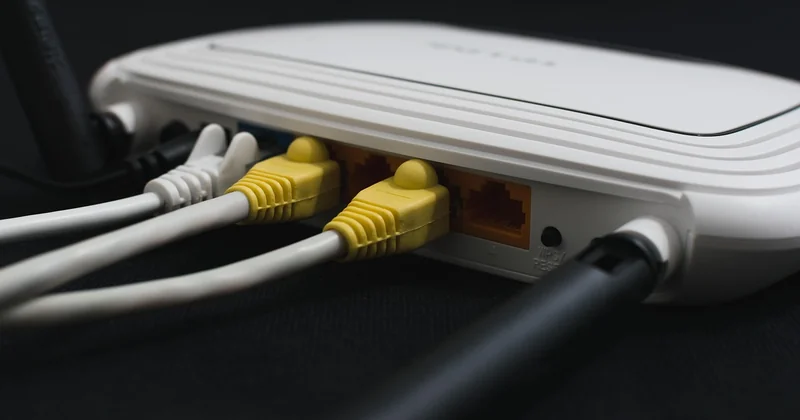
- Sharing. Your provider gives you one connection. The router splits it across every phone, laptop, TV, thermostat, and doorbell in the house.
- Addressing. It hands out local IP addresses so devices can find each other—which is why your printer is reachable from your laptop but not from your neighbor's.
- Protecting (a little). Because your devices sit behind local addresses, random traffic from the internet can't reach them directly. This is basic network address translation, not a firewall suite, but it's the reason your home isn't constantly scanned into oblivion.
On Wi-Fi routers you'll also find the wireless radio, the antennas, and the four Ethernet ports on the back. That's the part people notice. It's the least important part of what the router actually does.
Router vs modem: the side-by-side comparison
| Modem | Router | |
|---|---|---|
| Connects to | Your provider's network (the outside world) | Your devices (the inside world) |
| Network type | WAN side | LAN side |
| Address type | Public IP assigned by the provider | Local IPs assigned to each device |
| Its main task | Translate the provider's signal into usable data | Direct traffic between devices and share one connection |
| Wi-Fi built in? | No | Usually, on consumer models |
| Number of Ethernet ports | One (to the router) | Typically four, plus the WAN input |
| What breaks it | Provider changes technology or speed tier | Too many devices, dead spots, outdated Wi-Fi standard |
The pattern is simple: the modem faces outward, the router faces inward. Everything else follows from that.
Do I need a modem if I have a router?
Yes—unless your router is actually a combo unit.
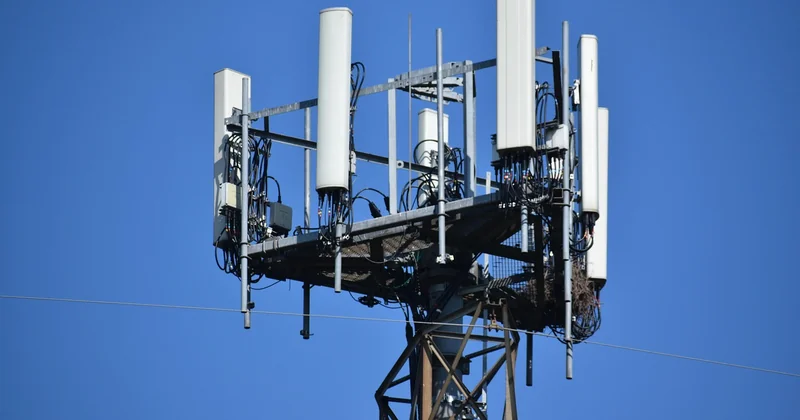
A standalone router cannot decode your provider's signal. Plug one directly into the wall and you get a device that broadcasts a Wi-Fi network with no internet behind it. People do this more often than you'd think, then spend an hour convinced the router is defective. It isn't. It's just missing the translation step.
The one exception: gateways, sometimes called modem-router combos. These are a single box that does both jobs. If you rent equipment from your provider, this is most likely what's sitting in your living room. It has antennas and multiple LAN ports (router traits) but also connects straight to the cable or fiber line (modem trait).
How do you tell which one you actually have?
Count the boxes between the wall and your devices.
Two boxes means you have separate modem and router. One box with antennas that plugs directly into the wall outlet means you have a gateway. One box with no antennas, plus a separate device broadcasting Wi-Fi, means you have a modem and a router—you just found them in a different order than expected.
Then check your bill. If there's a line item for equipment rental, you're paying monthly for hardware you don't own. Multiply that by twelve and decide how you feel about it.
What order do you plug modem and router in?
Wall outlet → modem → router → your devices. That's the chain, and the order isn't arbitrary.
Here's the part worth understanding: the modem needs to establish its connection with your provider before the router can receive anything. If you power both on at the same instant, the router may finish booting first, look for an internet signal, find none, and conclude it should stop trying. You end up with a perfectly functional router and no internet.
- Connect the coaxial, fiber, or phone line to the modem's input port. Nothing else to the modem yet.
- Power the modem on. Wait for its online light to go solid—this can take a couple of minutes, longer after an outage.
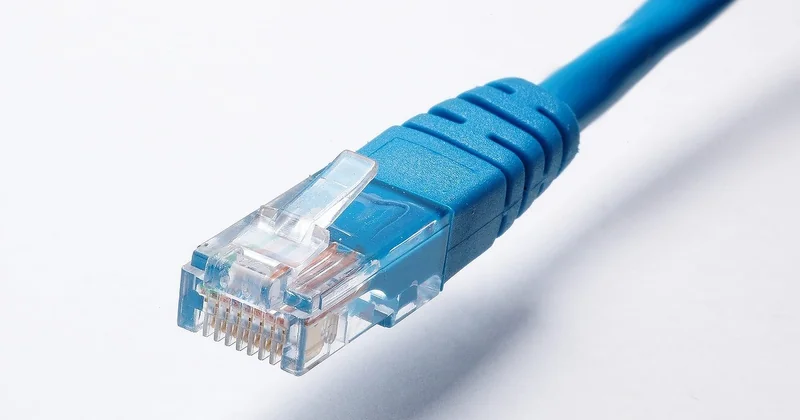
- Run an Ethernet cable from the modem's output to the router's WAN or "Internet" port. Not a LAN port. This mistake costs people entire evenings.
- Power the router on and let it finish booting.
If you've swapped the order and things seem broken, you don't need to start over from scratch. Power both off, wait thirty seconds, power the modem on alone, wait for the online light, then power the router. That sequence fixes the majority of "I set it up and nothing works" situations I've helped people with.
Do you need to replace your modem or your router?
These fail for completely different reasons, and knowing which one is holding you back saves money.
When to replace the modem
- You upgraded your speed plan and your modem can't handle the new tier. An older cable modem may physically not support the channels needed for the higher speeds.
- Your provider changed technology. Fiber replacing cable means the old modem is now a paperweight.
- You're renting and want to stop. This is the most common reason, and usually the most justified.
- The device is genuinely dying—dropping connections several times a day, running hot, or failing to lock onto the provider's signal after repeated reboots.
What a modem replacement is not going to fix: dead spots in the back bedroom, slow Wi-Fi on the far side of the house, or too many devices competing for bandwidth. Those are router problems.
When to replace the router
- Wi-Fi dies the moment you walk into the kitchen.
- You've accumulated more connected devices than the router comfortably handles, and everything gets sluggish in the evening.
- Your router is several generations behind on Wi-Fi standards.
- You want features the old one doesn't have—guest networks, parental controls, or better handling of video calls while someone else streams.
In my experience, routers age out faster than modems. A modem that matches your plan can serve you for many years. A router from several Wi-Fi generations ago becomes a bottleneck long before it stops working.
Is it better to buy a modem or a router?
If you can only replace one thing right now, replace the router. You'll feel that change immediately—stronger signal, more stable connections, fewer devices fighting each other. Replacing the modem usually produces no noticeable difference unless your current one is genuinely incapable of your speed tier.
But the smarter long-term move is to stop renting and own both. Renting equipment means paying every month forever, and at the end you own nothing. Buying has two conditions worth checking before you spend anything:
- Provider compatibility. Most providers publish a list of approved modems, and not every modem works on every network. Buying a random unit online and discovering it's unsupported is a real risk. Check the list first—this is the step people skip and regret.
- Technology type. Cable networks use DOCSIS standards and require a DOCSIS-compatible modem. Fiber networks use an ONT that usually isn't something you buy and install yourself. Know which one you have before shopping.
For routers, compatibility is far less restrictive. Any modern router will work with any modem. That's why I'd rank the purchase order like this: own your router first, then own your modem once you've confirmed it's on the approved list.
Should you buy a modem-router combo?
Combos are convenient. One box, one power cable, one thing to reboot when the internet acts up. For apartments, small homes, and anyone who genuinely does not want to think about networking, they're a reasonable choice.
The trade-off is flexibility. When the router half becomes outdated, you replace the whole unit. When you switch providers or switch from cable to fiber, the modem half is useless. Separate devices let you upgrade each half on its own schedule, and in the long run that's cheaper.
My honest take: if your home is under about 1,200 square feet and you don't have unusual demands, a combo is fine. Anything larger, or anything with thick walls and a home office at the far end, and you'll want the two separate—with the freedom to put a better router wherever the signal actually needs to be.
The bottom line
Two boxes, two jobs. The modem listens to your provider and translates. The router takes what it hears and distributes it to everything you own. Get the order right when you plug them in, and most of the frustration disappears.
What I keep coming back to is how much of this confusion is manufactured. For years, providers bundled the two functions into one anonymous rental box and never explained which half was which—so when something failed, you had no way to reason about it. You couldn't tell whether you were buying a signal problem or a coverage problem. Two separate devices, clearly labeled in your own head, are worth the extra cable.
And the next time your internet drops at nine in the evening, you'll know exactly which light to look at first. That alone is worth the ten minutes it takes to understand.