Bandwidth vs latency: what actually matters when your connection feels slow
A client called me last month, furious. He'd just upgraded to a 1 Gbps fibre line and his video calls were still freezing. "I'm paying for a gigabit," he said. "Why does Zoom look like a slideshow from 2008?" I ran a quick test. His download speed was 940 Mbps. His latency sat at 210 ms, with jitter bouncing between 40 and 90 ms. There it was: he had bought bandwidth and needed latency.
This is the most common confusion in networking, and I'll be honest, I fell into the same trap early on. Bandwidth and latency are not two ways of measuring the same thing. They are two separate physical properties of a connection, and one can be excellent while the other is terrible.
Understanding the difference changes how you diagnose problems, how you buy an internet plan, and how you configure your own network. Let's get into it properly.
Key Takeaways
- Bandwidth is the maximum volume of data your connection can carry per second. It's a capacity.
- Latency is the time it takes a single packet to travel to a destination and back. It's a delay.
- A connection can have 1 Gbps bandwidth and 200 ms latency at the same time.
- Real-world throughput is always lower than the advertised bandwidth figure.
- For gaming and video calls, latency matters far more than raw speed.
- Bufferbloat and jitter explain why a fast line can still feel broken.
Bandwidth is a pipe width, not a speed
Bandwidth measures how much data can move through a connection in a given second. That's it. When your ISP sells you "500 Mbps," they mean that under ideal conditions, 500 megabits of data can cross the wire every second.
Here's where the pipe analogy breaks down, and it's why so many people stay confused. A wider pipe doesn't make water travel faster. It lets more water through at the same time. Latency is how long one drop takes to get from your tap to the end of the pipe. You can have a fire hose of a pipe and a very long, winding route for that drop to travel.
Why bandwidth is described as capacity, not speed
Engineers call bandwidth a capacity because it defines an upper limit. A single file transfer rarely uses all of it. Multiple streams share it. This matters when you're troubleshooting: a 1 Gbps line split across six devices, two 4K streams, and a cloud backup isn't giving any one task a gigabit. It's dividing the pipe.
I made this mistake for two solid years. I'd blame my ISP for slow uploads when the real issue was that my backup software was saturating the link at 3 a.m. every night. The capacity was there. I was just already using it.
Latency is a delay, and distance is its enemy
Latency is the round-trip time (RTT) for a packet to leave your device, reach a server, and come back. It's measured in milliseconds. The physics here are unforgiving: data travels through fibre at roughly two-thirds the speed of light, and that's the theoretical best case before you add routers, switches, and congestion.
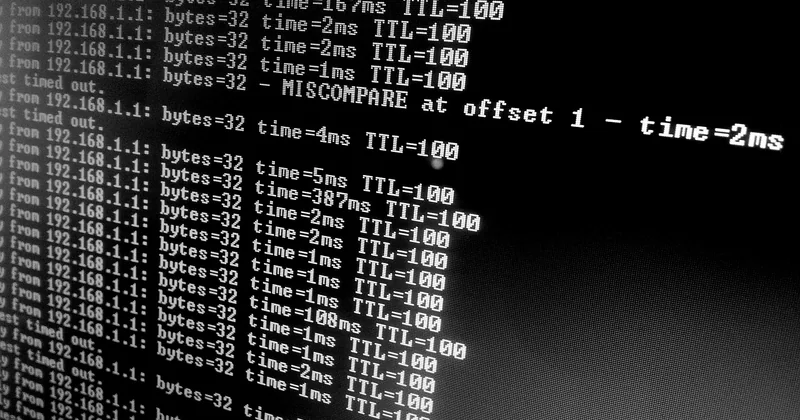
This is why a server across the ocean cannot have the same latency as one in your city, no matter how much bandwidth you buy. Physics sets a floor. Everything else, the routing, the number of hops, the processing time in each device along the way, adds on top.
What causes latency in a real connection
- Physical distance between you and the server
- Number of network hops, each one adding a small processing delay
- Congestion, when routers have more packets than they can forward immediately
- Wi-Fi interference and retransmissions
- Server-side processing time, which you can never fix from your end
Note that bandwidth barely appears in that list. Adding capacity doesn't reduce the time a single packet takes to cross the network. It only reduces the chance that your packet has to wait in a queue.
Bandwidth vs latency vs throughput vs jitter: a practical comparison
These four terms get thrown around as if they were interchangeable. They aren't, and mixing them up leads to bad diagnoses.
| Metric | What it measures | Unit | What improves it |
|---|---|---|---|
| Bandwidth | Maximum data capacity of the link | Mbps / Gbps | Upgrading your plan or hardware |
| Latency | Round-trip time for one packet | ms | Shorter routes, wired connection, closer servers |
| Throughput | Actual data delivered per second | Mbps | Reducing overhead, packet loss, and congestion |
| Jitter | Variation in latency between packets | ms | Traffic shaping, QoS rules, less congestion |
The gap between bandwidth and throughput is where most people lose money. You pay for bandwidth, but you experience throughput. If your line is rated at 500 Mbps and you consistently measure 180 Mbps over Wi-Fi, the bottleneck isn't the ISP. It's the air between your laptop and the router.
Throughput vs bandwidth: why your real speed is always lower
Throughput is what actually arrives. Protocol overhead, packet headers, retransmissions after loss, and interference all eat into the theoretical maximum. On a clean wired connection, expect throughput around 90-95% of your bandwidth. Over 2.4 GHz Wi-Fi in a busy building, I've seen it drop to 30%. Same plan, same ISP, wildly different result.
Goodput is one level deeper: it's the payload data after all overhead is stripped out. If you're transferring a file and seeing 700 Mbps of goodput on a 1 Gbps link, that's normal and healthy.
When latency matters more than bandwidth
Not every application cares equally. Some are bandwidth-hungry but latency-tolerant. Others need almost no bandwidth but fall apart the moment latency spikes.
Latency and bandwidth targets by use case
- Competitive online gaming: latency under 20 ms is ideal, under 50 ms is playable. Bandwidth needs are tiny, often less than 5 Mbps.
- Video calls: latency under 150 ms keeps conversation natural. Bandwidth of 3-5 Mbps per HD stream.
- 4K streaming: bandwidth of 25 Mbps or more, latency largely irrelevant since the buffer absorbs it.
- Cloud gaming: the harshest case. Needs both, plus low jitter. 35 Mbps and under 40 ms round-trip.
- Large file transfers and backups: bandwidth is everything. 100 Mbps or more makes a real difference; latency is nearly irrelevant.
This is the table I wish someone had handed me years ago. It would have saved me from upgrading a perfectly good 100 Mbps line when my actual problem was a congested Wi-Fi channel and a router doing packet inspection.
Bufferbloat and jitter: the hidden reasons your fast connection feels slow
Here's the part almost nobody explains, and it's the answer to the question my client was really asking. You can have excellent bandwidth and acceptable average latency and still get a terrible experience. Two culprits do most of the damage.
Jitter is the variation in latency from one packet to the next. If packet A takes 30 ms and packet B takes 140 ms, your video call will stutter even though the average looks fine. Voice and video need consistent timing, not just low averages.
Bufferbloat is what happens when a router buffers too much data instead of dropping it. Under load, your latency can balloon from 20 ms to several hundred milliseconds because packets are sitting in a queue. This is why your game lags the moment someone starts a large download on the same network. The bandwidth is fine. The queue is the problem.
Fixing bufferbloat means enabling something called SQM (Smart Queue Management) on your router, or using a router that handles it by default. I enabled it on mine and my bufferbloat score went from a C to an A on a standard test, with no change to my plan whatsoever.
How to actually measure both
Speed tests tell you bandwidth. They tell you almost nothing useful about latency under real conditions, so don't rely on them alone.

- Ping gives you basic round-trip time to a target. Run it repeatedly to spot jitter.
- Traceroute or MTR shows you each hop and where latency spikes along the path.
- iperf3 measures true throughput between two machines you control, stripping out the browser overhead of a speed test.
- Bufferbloat tests measure latency while the connection is under load, which is the number that actually describes your daily experience.
Reading the results without fooling yourself
Test over Ethernet first. If your Wi-Fi results look bad but wired results look good, you've found your bottleneck and it isn't your ISP. Then repeat the latency test while running a download in the background. If latency jumps by more than 100 ms, you have bufferbloat, and it's worth fixing before you spend a cent on a faster plan.
I've seen this save people hundreds over a year. Upgrading to a bigger pipe when the real issue is a queue management problem is a very expensive way to stay disappointed.
The bottom line
Bandwidth is capacity. Latency is delay. Throughput is what you actually get. Jitter is how consistent it is. And bufferbloat is the reason a fast connection can still feel broken.
If your connection is misbehaving, measure latency under load before you assume you need more speed. In my experience, most "slow internet" complaints have nothing to do with bandwidth at all. They're a queue problem, a Wi-Fi problem, or a distance problem, and none of those get solved by paying for a bigger number on your bill.