There's a moment every Wi-Fi user knows: you're streaming something, the picture drops to a blurry mess, and you start walking around the house holding your phone in the air like you're trying to catch a signal from another planet. Last week I caught myself doing exactly that, phone raised above my head, standing on a chair in the hallway. My partner watched, said nothing, and left the room.
It didn't help, by the way. Because the problem was never my phone. If you want to fix a weak Wi-Fi signal, the first thing worth understanding is what is actually happening between your router and your devices—and it's not magic.
Here's what's really going on with Wi-Fi, and what I've learned over several years of tinkering with my own home network about making it work properly.
Key Takeaways
- Wi-Fi transmits data over radio waves, not cables—your router is a two-way radio, not a magic box.
- Concrete, metal, mirrors, and even aquariums absorb or reflect the signal far more than drywall or wood.
- Positioning your router in the open, away from walls and appliances, often does more than any app.
- On a network you don't control, you should avoid sensitive activity—treat it as public.
- Wi-Fi is not the same as internet; you can have a strong Wi-Fi connection and no working internet.
- Every connectivity choice has trade-offs. Wi-Fi's biggest is interference.
How does Wi-Fi actually work?
A Wi-Fi network starts with two pieces: a router and a device. The router is the hub, and it communicates with every Wi-Fi-capable device within range. That's the whole architecture, really.
What travels between them is data encoded into radio waves. Your phone, laptop, or smart TV has an antenna that transmits and receives these waves, and the router does the same from its end. Radio waves travel through the air—no cable required—and that's the entire trick behind "wireless."
The radio wave part
Radio waves are the same basic phenomenon as TV broadcasts and mobile phone signals. They're electromagnetic, they travel at the speed of light, and different devices use different frequencies so they don't constantly talk over each other.
Your home router typically uses two main frequency bands, 2.4 GHz and 5 GHz, sometimes a third around 6 GHz on newer hardware. The 2.4 GHz band reaches further and pushes through obstacles a bit better, but it's crowded—microwaves, baby monitors, and your neighbor's router all fight for space there. The 5 GHz band is faster and cleaner, but it struggles to punch through walls. Which brings us to the honest reason your signal keeps failing.
Why Wi-Fi is a two-way conversation
Here's the part most explanations skip. Your Wi-Fi connection is a negotiation in both directions. Your device sends a request, the router answers, and this happens thousands of times a second. It's not a one-way broadcast like a radio station.
That matters because a signal can be strong enough to reach your device but too weak for the device to send anything meaningful back. So you see full bars and still get a spinning circle.
I learned this the hard way when I moved my router to a spot where my bedroom showed five bars—and downloads stalled anyway. The router could shout; my phone couldn't shout back. Good signal, dead connection.
What blocks the Wi-Fi signal the most?
Not the things you'd guess. And not the things router packaging shows in those little diagrams of a nice clean house.

Dense materials are the enemy. Concrete and reinforced concrete are among the worst offenders, especially floors and load-bearing walls. Metal reflects radio waves almost entirely—think metal shelving, filing cabinets, or foil-backed insulation inside your walls.
Then there are the ones that surprise people:
- Mirrors. That reflective coating is a thin layer of metal.
- Aquariums. Water absorbs radio waves, and a large tank is essentially a wall of water.
- The microwave. It operates at the same basic frequency as your 2.4 GHz band, so running it can knock your connection around.
- Baby monitors and cordless phones. Same crowded band, same result.
- Insulating materials used in modern walls
The rule underneath all of these is simple: radio waves lose energy when they pass through anything dense, wet, or metallic. Drywall and wood are forgiving. Everything else, less so.
The fix that costs nothing
Put your router somewhere high, central, and open. Not in a cabinet. Not behind the TV. Not on the floor next to the aquarium your partner insisted on. Central and elevated, as much clear air around it as possible.
When I finally pulled my router out of the media cabinet and mounted it on an open shelf near the middle of the house, my weak bedroom signal went from unusable to completely stable. No new hardware. No money spent. Just moving a box the size of a paperback book.
How to improve your Wi-Fi signal step by step
Start with the free stuff, because most people jump straight to buying a mesh system they don't need yet.
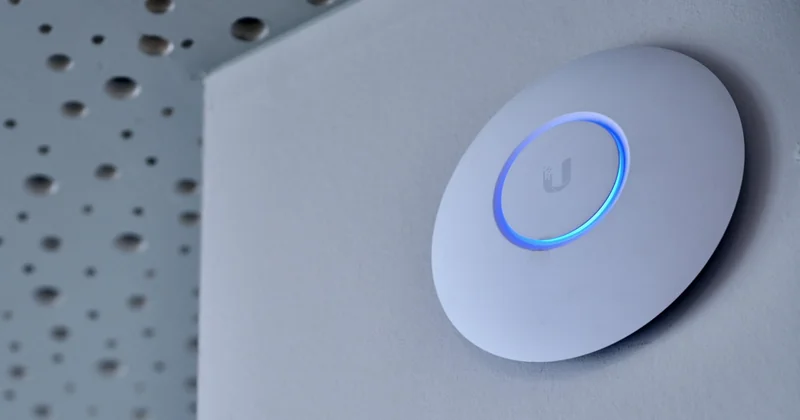
- Move the router to a central, high, open location.
- Change the channel your router broadcasts on if you're in a crowded area—if the 2.4 GHz band is noisy, switching to 5 GHz for nearby devices helps a lot.
- Update the router's firmware.
- Cut the number of idle devices connected. A dozen smart plugs and bulbs quietly chatting to the network add up.
- Restart everything once a month. I know. It works.
- Only then consider a mesh system or a range extender.
Range extenders are the most oversold product in this space. They repeat a signal that's already weak, which means they repeat a weak signal. A mesh system with nodes placed properly beats one extender stuffed into a hallway outlet every time. In my opinion, if you're going to spend money, spend it there—and I'll defend that position.
| Fix | Cost | Best for |
|---|---|---|
| Reposition the router | Free | Almost everyone, first step |
| Switch bands | Free | Crowded apartment buildings |
| Range extender | Low | One isolated dead zone |
| Mesh system | Higher | Large homes, multiple floors |
Can someone see everything on my phone if I use their Wi-Fi?
Not everything, but more than most people are comfortable with.

The person who controls the network can see which sites and services your device connects to. On an unsecured or open network, someone with the right tools can also intercept unencrypted traffic.
The saving grace is that most of what you do today is encrypted. When a site uses HTTPS—which is nearly all of them—the content of your messages, logins, and payments stays scrambled. What leaks is the metadata: that you visited a certain site, at a certain time, and how much data you moved.
What that means practically:
- Avoid logging into banking or anything sensitive on a network you don't own.
- Stick to HTTPS sites. Check for the padlock.
- If you must use public Wi-Fi regularly, a VPN is genuinely worth it—not for the marketing reasons, but because it wraps everything in one encrypted tunnel.
The honest answer
Your neighbor on their home network isn't reading your texts. But the network owner has a window into your browsing habits, and on a truly open network, that window is wider than you'd want. Treat Wi-Fi you don't control as public space.
Do I need both Wi-Fi and internet?
These get used interchangeably, and that's exactly why people get confused when one fails.
Internet is the connection to the outside world, delivered by your provider. Wi-Fi is the local wireless link between your devices and your router. They're separate systems that happen to work together.
You can have perfect Wi-Fi and no internet—your router is broadcasting, but the line from your provider is down. You can also have a rock-solid internet connection and terrible Wi-Fi, which is the situation whenever someone says "the internet is slow" while standing in the far corner of the house.
This distinction saved me a pointless call to my provider once. Full bars everywhere, nothing loading. It wasn't my Wi-Fi at all. The internet connection itself had dropped, and my router was happily broadcasting a dead network.
What are the downsides of using Wi-Fi?
Convenience has a price, and Wi-Fi's is interference.
Because everything shares the air, performance fluctuates with what's around you. A neighbor's new router, a running microwave, a crowded apartment building—all of it competes for the same spectrum. Wired connections don't have this problem.
Speed is the second trade-off. Even good Wi-Fi won't match a cable for consistency, and consistency matters more than peak speed for video calls and gaming. Latency spikes make a call stutter even when the average speed looks fine on a test.
And there's the security question we covered. Wired is inherently more private. Wi-Fi requires you to think about who else is on the network.
So is it worth it?
Absolutely, for almost everything. Nobody's stringing ethernet through a living room to check email on a couch. But keeping one cable for the device that matters most—a desktop, a console, a work machine—is a small move with a large payoff.
That's the whole thing, really. Wi-Fi is radio, your router is a two-way radio, and physics decides most of what your signal can and can't do. Move the router. Stop standing on chairs.
Though I'll admit: I still check my phone when the stream buffers, even knowing it does nothing. Old habits.
Quick reference: what to try first
Lost signal in one room? Reposition the router before buying anything. Signal fine but nothing loads? Check whether the internet itself is down—not the Wi-Fi. On someone else's network? Assume the owner can see where you go, and keep banking off it.