Somebody asked me last week why their brand-new 8-core CPU felt slower in games than their old 6-core chip. Same GPU. Same RAM. Same monitor. They'd spent an extra $180 on the upgrade and ended up with fewer frames. That's the moment I realized how badly most CPU advice is broken — everyone talks about core counts and clock speeds like those numbers mean something on their own. They don't.
Choosing the right CPU for your custom PC build comes down to one thing: knowing what your actual workload needs, then finding the cheapest chip that delivers it without starving the rest of your system. Sounds obvious. In practice, almost nobody does it.
Key Takeaways
- Match the CPU to your real workload first, not to the biggest number on the box.
- Socket and motherboard compatibility decide half your options before you even compare performance.
- For gaming, single-core speed and IPC matter more than core count past a certain point.
- Factor in cooling and power draw — a hot chip needs a better cooler, which adds $50 to $120.
- Buying last-gen on sale usually beats buying current-gen at full price for the same performance tier.
How to choose the right CPU for your custom PC build
Start with the question nobody asks: what are you actually doing on this machine? I built a rig three years ago for "gaming and some video editing." I bought a 12-core chip because the editing part scared me. Turned out I edited maybe two videos a month and gamed every night. I'd paid for cores that sat idle while I lost single-thread performance to a cheaper chip that would've been better at what I actually did.
So write it down. Be specific.
The four workload categories that actually matter
Most people fall into one of these, whether they realize it or not:
- Pure gaming. You want the highest single-core performance you can afford.
- Productivity and office work. Almost any modern 6-core chip is overkill here. Don't spend.
- Content creation. Video editing, 3D rendering, code compilation. This is where core count earns its keep.
- Mixed use. Real life. You game, you stream, you occasionally edit. This is the hardest to shop for and where most money gets wasted.
Notice I didn't list "future-proofing." That's not a workload. It's a feeling, and it costs about 30% more than you need to spend.
Socket and motherboard come first, not last
Here's what the popular guides skip: your CPU choice is locked to your motherboard socket. AM5 for current AMD Ryzen. LGA1851 for the latest Intel Core Ultra chips, LGA1700 for the previous generation. You pick the socket family first, then the chip inside it.
Which means if you already own a motherboard, your CPU options just got much shorter. And if you're buying both, decide whether you want a platform you can upgrade on later (AMD has historically kept sockets alive longer) or one where you'll replace the board next time you upgrade.
I learned this the hard way. Bought an Intel board in 2021 believing I'd swap in a newer chip two years later. Turns out the socket was dead by the next generation. Whole platform replaced. Cost me the price of a mid-tier GPU just to stay current.
How do I choose the right CPU for me?
Answer these in order, and your shortlist writes itself.

- What's your total budget for the build? CPU should be roughly 15–20% of it for a gaming rig, up to 25% for a workstation.
- What GPU are you pairing it with? A $600 CPU with a $250 GPU is backwards. Balance matters.
- What resolution do you play at? At 4K, the GPU does almost all the work and CPU differences shrink to single-digit percentages. At 1080p high-refresh, the CPU becomes the bottleneck.
- Do you need upgrade headroom? If yes, pay attention to socket longevity.
That's it. Four questions. The rest is comparing benchmark scores within your tier, and honestly, at that point you're splitting hairs between chips that perform within 5% of each other.
Is Ryzen 7 overkill for gaming?
For pure gaming at 1080p or 1440p, a Ryzen 7 is usually more than you need — a Ryzen 5 in the same generation typically delivers within 5–10% of the gaming frame rates for $100–$150 less. The extra cores on a Ryzen 7 mostly sit idle during gameplay. Where a Ryzen 7 earns its price is when you stream while gaming, run heavy background apps, or edit video between sessions. If none of that describes you, save the money and put it toward a better GPU or a faster SSD. That's where you'll actually feel the difference.
Is a $2000 PC good for gaming?
Yes, comfortably. At that budget you can build a machine that runs current AAA titles at 1440p on high settings with frame rates well above 100 fps, or push into 4K with sensible settings. The trick is allocation: at $2000, roughly half should go to the GPU, a fifth to the CPU, and the rest to motherboard, RAM, storage, PSU, and case. Where people go wrong is spending $400 on a CPU and $500 on a GPU because the CPU felt "safer" to overspend on. It isn't. The GPU determines gaming performance far more than the CPU once you're past the entry tier.
Cores versus speed: what actually matters
This is the part where the marketing gets loud and the truth gets quiet.
Is 6 cores or 8 cores better?
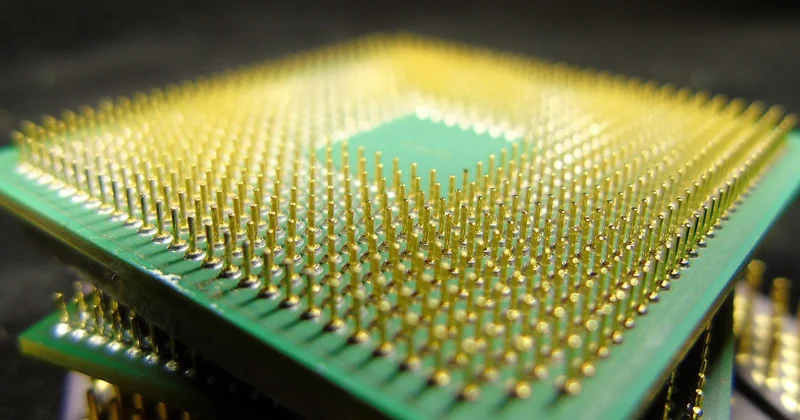
For gaming, 6 fast cores generally beat 8 slower ones. Most games only use a handful of threads efficiently, so per-core performance drives your frame rate far more than the total core count. An 8-core chip with lower clocks can lose to a 6-core with higher clocks in the same game at the same settings. For content creation, rendering, or heavy multitasking, the equation flips — 8 cores win clearly because those workloads genuinely use every thread you give them. There's a real ceiling to this, though: past 8 cores, gaming gains flatten almost entirely, and you're paying for silicon that never gets used during play.
| Workload | What matters most | Sweet spot |
|---|---|---|
| Gaming (1080p) | Single-core speed, IPC | 6 cores, high clock |
| Gaming (4K) | GPU bound, CPU barely matters | 6 cores, mid-tier is fine |
| Video editing | Multi-thread performance | 8–12 cores |
| 3D rendering | Core count, memory bandwidth | 12+ cores |
| Office / browsing | Almost nothing | 4–6 cores, cheapest tier |
I'll say it plainly: if your build is 90% gaming, buying a 16-core chip is lighting money on fire. I did it. I regretted it for two years.
The cooling and power tax nobody mentions
High-end CPUs run hot, and hot chips need better coolers. A mid-range chip might ship with a stock cooler or run fine on a $35 air cooler. A flagship chip can demand a $100+ tower cooler or a 240mm liquid AIO. That's money that doesn't show up in any CPU comparison chart, but it absolutely shows up in your total build cost and your case airflow planning.
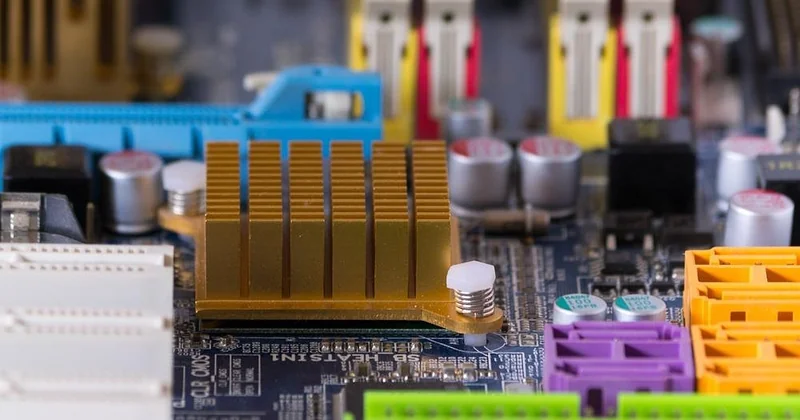
Power supply matters too. A high-TDP chip pulls more watts under load, which can push you from a 650W PSU to a 750W or 850W unit. Add $40–$70 for the bigger PSU, plus the cooler, and your "$300 CPU" is really a "$450 decision."
Quick reality check before you buy
Add up CPU + cooler + PSU upgrade. If that total is more than 25% of your whole build budget, step down one tier. You'll lose a few percentage points of performance and keep real money in your pocket for the parts that matter more.
Intel or AMD: the honest answer
Both make excellent chips. The brand war is mostly noise. What actually differs is platform longevity and pricing at your specific tier.
AMD has kept its AM5 socket alive across multiple generations, which means a board bought today likely accepts a newer chip in two years. Intel has historically changed sockets more often, though that's not a universal rule. On price, the two trade blows depending on the week and the tier — there's no permanent winner.
My advice: ignore the logo. Pick three chips in your budget range from both brands, compare benchmark scores in your specific workload, and buy whichever is cheapest that week. I've owned both. The difference in daily use is invisible.
And one thing I'll die on that hill for: don't buy a CPU because a friend swears by the brand. Buy it because the numbers match what you do.
What I'd tell a friend standing in the store
Pick your socket family. Match the chip to your real workload, not your aspirational one. Budget for the cooler and PSU alongside the CPU itself. Then stop reading reviews and buy — because at that point, you're choosing between options that perform within a few percent of each other, and the extra $150 you save buys a genuinely better GPU.
The chip you regret is almost never the one that was 5% slower. It's the one you overspent on for cores you never used.