My father called me last month, genuinely annoyed. He'd bought a 1TB hard drive to replace the 256GB SSD in his laptop because "it was the same price and four times the space." Two weeks later he was back on the phone, complaining that the machine felt broken. Windows took ninety seconds to boot. His photo editor stuttered every time he dragged a slider. He'd made a completely logical decision on paper and a terrible one in practice.
That one phone call sums up the entire SSD vs HDD debate better than any spec sheet. This isn't a story about which drive is faster. It's about matching the right tool to the right job, and understanding that "more gigabytes" and "better computer" are not the same sentence.
If you're standing in a store or staring at a checkout page right now, wondering why a 512GB SSD costs more than a 2TB hard drive, this is for you.
Key Takeaways
- Speed vs capacity is the real trade-off. An SSD makes an old machine feel new; an HDD just adds space to a slow one.
- A 512GB SSD beats a 1TB HDD for almost every laptop user — unless you're archiving files you rarely open.
- Reliability works differently for each. SSDs wear out with writes; HDDs fail from mechanical shock and moving parts.
- External drives flip the logic. For long-term cold storage, a spinning drive is often still the smarter buy.
- The best setup is usually both — a small fast SSD for the system, a big cheap HDD for the archive.
SSD vs HDD: which storage drive should you actually buy?
Look, the honest answer depends on one question: what is the machine doing with those gigabytes? A drive isn't a container. It's the thing your processor talks to constantly, thousands of times a second, for everything from loading Windows to saving a spreadsheet.
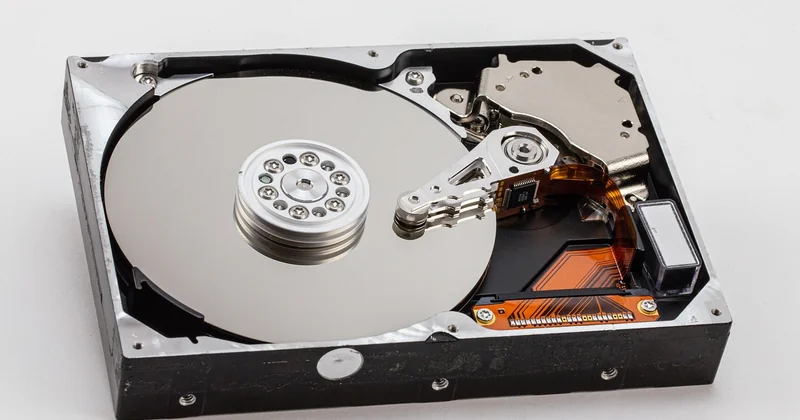
Here's the thing most buying guides skip. A hard drive stores data on spinning magnetic platters with a physical read/write head that moves across them. That's a mechanical process, measured in milliseconds. An SSD stores data in flash memory chips with no moving parts, measured in microseconds. That gap isn't a small percentage difference. It's often a hundredfold difference in random access — the kind of access your operating system does all day long.
Why speed beats capacity for most people
I learned this the hard way about four years ago when I built a budget editing workstation. I loaded it with a 4TB hard drive and skipped the SSD entirely to save money. The build booted in two and a half minutes. Rendering a short clip took forever, but worse — scrubbing the timeline was agony because every frame seek hit the platters. I lasted a week before ordering a 500GB NVMe drive. Boot time dropped to around twelve seconds. The timeline became usable. Nothing else in the machine changed.
That's the experience people describe as "my computer feels new again." It's rarely the CPU. It's the drive.
A modern SSD delivers read speeds in the gigabytes-per-second range over PCIe, while a good hard drive tops out around 150 to 200 megabytes per second on sequential reads — and far worse on random ones. For loading an operating system, launching applications, or opening a project with thousands of small files, that random-access performance is what you feel.
Where the hard drive still earns its place
Here's where I'll defend the HDD, because the "SSDs killed hard drives" take is lazy. Mechanical drives still win on two fronts: cost per terabyte at large capacities, and endurance for write-heavy cold storage.
Every storage medium fails eventually. An SSD has a limited number of write cycles per cell, tracked as TBW (terabytes written). Consumer drives typically rate between a few hundred and a couple thousand TBW. Once you exhaust that, the drive goes read-only or dies. A hard drive has no such counter — it can be rewritten indefinitely — but it has moving parts that wear out, and one good drop can end it instantly.
- SSD failure mode: gradual, tied to write volume, usually gives warning signs before it dies.
- HDD failure mode: sudden and mechanical — a head crash, a bad sector cluster, a spindle that stops spinning.
- For a drive that sits on a shelf and gets written to once a month, an HDD can outlast several SSDs.
Should I buy SSD or HDD for storage?
Split the word "storage" into two jobs and the answer writes itself. There's active storage — the stuff you touch every day, your OS, applications, current projects, games you're playing right now. And there's archival storage — the external drive holding your 2019 photo library, old client work, backups you hope never to open.
Active storage goes on an SSD. Always. This is the single most defensible rule in this entire article.
Archival storage is where a hard drive remains a genuinely good buy. If you're building a 3-2-1 backup strategy — three copies, two media types, one off-site — the cheap copy is almost always a spinning disk. A large external HDD gives you more room to hold more versions of your data for the same money.
Is it better to have a 1TB HDD or a 512GB SSD?
Take the SSD. For a laptop or a desktop you use daily, a 512GB SSD will make the machine feel dramatically faster, and 512GB is enough for an operating system, a full office suite, a browser with too many tabs, and a decent pile of personal files. The 1TB hard drive gives you double the room and roughly a tenth of the responsiveness.
The only scenario where I'd flip this: you're using the drive purely for video archives or a media server, never as your boot drive. Then the extra terabyte matters more than the speed you won't feel.
Is a 256GB SSD better than a 1TB hard drive?
Yes — with a caveat. As a system drive, a 256GB SSD still crushes a 1TB HDD, because the responsiveness gain is the whole point. But 256GB fills up fast. Once you're past roughly 80% capacity, SSD performance can degrade, and you'll be constantly juggling files.
My honest read: 256GB SSD + a cheap external HDD is a fine budget combo. A bare 1TB HDD as your only drive in 2026 is a mistake I'd talk you out of.
| Scenario | Best pick | Why |
|---|---|---|
| Daily laptop / desktop use | SSD (512GB+) | System responsiveness you feel every second |
| Photo / video archive | External HDD | Cheapest cost per terabyte at scale |
| PC gaming | NVMe SSD | Faster level loads; some titles now require it |
| Long-term cold backup | HDD | No write-cycle limit; durable when stored safely |
| Budget NAS (bulk) | HDD | Capacity per dollar wins for always-on storage |
Is an HDD still worth it in 2026?
For a boot drive? No. For bulk and archival storage? Absolutely — and anyone telling you otherwise is selling something. Spinning disks didn't become obsolete; they got demoted to a specific, still-valuable role.
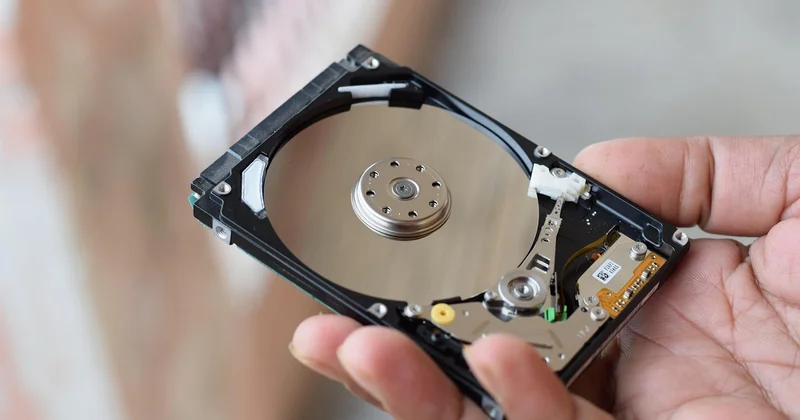
Where they've actually lost ground is gaming and laptops. Modern game consoles and a growing list of PC titles now expect an SSD, sometimes an NVMe one, because the games stream assets directly off the drive. And laptops have largely abandoned hard drives for the obvious reason: nobody wants a spinning disk in a device that gets carried around and bumped.
SSD or HDD for gaming?
SSD, without much debate. Load times shrink from a minute or more to seconds, and open-world games that stream textures on the fly run noticeably smoother. Some titles refuse to launch from a hard drive at all. If you're on a tight budget, a SATA SSD is still a huge jump over an HDD — you don't strictly need the fastest PCIe drive.
SSD or HDD for a laptop?
SSD, and it's not close. A laptop travels, gets jostled, and drops. A hard drive's read head floats nanometers above a spinning platter — a jolt at the wrong moment can scratch it into a paperweight. Flash memory has no such vulnerability. Add the battery savings and the silence, and there's no reason to put a spinning disk in a portable machine in 2026.
The spec-sheet trap you should avoid
Capacity and price are the numbers printed in giant font. They're also the least useful. Two SSDs with identical capacity can perform wildly differently depending on the type of memory they use and whether they have a DRAM cache.
Cheap drives often use QLC flash, which packs more data per cell but slows down hard once its cache fills — during a large file transfer you can watch the speed collapse from gigabytes per second to something a hard drive would be embarrassed by. Drives without a DRAM cache lean on your system memory instead and struggle under sustained load. A TLC drive with DRAM costs more and behaves far more predictably.
This is why "1TB SSD, $40" on a marketplace listing deserves suspicion. You're often buying the slowest flash the factory had left over.
So what should you actually buy?
If it's a computer you use every day, buy an SSD — 512GB minimum, TLC over QLC, and don't agonize over the fastest model. The jump from any SSD to a faster SSD is a fraction of the jump from an HDD to any SSD at all.
If you're storing things you rarely open, buy a hard drive and sleep well. It's the cheapest reliable place to park a terabyte of your life.
And if you can afford exactly one drive and it has to do everything? Buy the SSD and let the external spinning disk come later. My father now runs a 1TB SSD in that laptop, with his old hard drive sitting in a caddy for backups. He hasn't called me since. Which, honestly, is the highest praise a storage recommendation can get.